'/%3e%3cg%20filter='url(%23filter1_d_4862_369)'%3e%3cpath%20d='M286.8%20620.55C290.476%20629.823%20291.294%20639.984%20289.15%20649.725L262.525%20731.975C261.667%20736.146%20261.889%20740.467%20263.169%20744.529C264.45%20748.59%20266.747%20752.257%20269.842%20755.182C272.937%20758.107%20276.728%20760.193%20280.855%20761.241C284.982%20762.29%20289.309%20762.267%20293.425%20761.175L378.75%20736.225C387.943%20734.402%20397.463%20735.199%20406.225%20738.525C459.61%20763.456%20520.084%20768.73%20576.979%20753.418C633.873%20738.106%20683.532%20703.191%20717.193%20654.834C750.853%20606.477%20766.353%20547.785%20760.958%20489.114C755.562%20430.442%20729.618%20375.562%20687.702%20334.155C645.786%20292.748%20590.593%20267.476%20531.86%20262.798C473.127%20258.119%20414.628%20274.335%20366.686%20308.584C318.744%20342.833%20284.438%20392.914%20269.822%20449.991C255.206%20507.068%20261.219%20567.474%20286.8%20620.55Z'%20fill='url(%23paint1_linear_4862_369)'/%3e%3cpath%20d='M286.8%20620.55C290.476%20629.823%20291.294%20639.984%20289.15%20649.725L262.525%20731.975C261.667%20736.146%20261.889%20740.467%20263.169%20744.529C264.45%20748.59%20266.747%20752.257%20269.842%20755.182C272.937%20758.107%20276.728%20760.193%20280.855%20761.241C284.982%20762.29%20289.309%20762.267%20293.425%20761.175L378.75%20736.225C387.943%20734.402%20397.463%20735.199%20406.225%20738.525C459.61%20763.456%20520.084%20768.73%20576.979%20753.418C633.873%20738.106%20683.532%20703.191%20717.193%20654.834C750.853%20606.477%20766.353%20547.785%20760.958%20489.114C755.562%20430.442%20729.618%20375.562%20687.702%20334.155C645.786%20292.748%20590.593%20267.476%20531.86%20262.798C473.127%20258.119%20414.628%20274.335%20366.686%20308.584C318.744%20342.833%20284.438%20392.914%20269.822%20449.991C255.206%20507.068%20261.219%20567.474%20286.8%20620.55Z'%20stroke='white'%20stroke-width='30'%20stroke-linecap='round'%20stroke-linejoin='round'/%3e%3c/g%3e%3cdefs%3e%3cfilter%20id='filter1_d_4862_369'%20x='227.008'%20y='231.008'%20width='570'%20height='570.004'%20filterUnits='userSpaceOnUse'%20color-interpolation-filters='sRGB'%3e%3cfeFlood%20flood-opacity='0'%20result='BackgroundImageFix'/%3e%3cfeColorMatrix%20in='SourceAlpha'%20type='matrix'%20values='0%200%200%200%200%200%200%200%200%200%200%200%200%200%200%200%200%200%20127%200'%20result='hardAlpha'/%3e%3cfeOffset%20dy='4'/%3e%3cfeGaussianBlur%20stdDeviation='10'/%3e%3cfeComposite%20in2='hardAlpha'%20operator='out'/%3e%3cfeColorMatrix%20type='matrix'%20values='0%200%200%200%200%200%200%200%200%200%200%200%200%200%200%200%200%200%200.25%200'/%3e%3cfeBlend%20mode='normal'%20in2='BackgroundImageFix'%20result='effect1_dropShadow_4862_369'/%3e%3cfeBlend%20mode='normal'%20in='SourceGraphic'%20in2='effect1_dropShadow_4862_369'%20result='shape'/%3e%3c/filter%3e%3clinearGradient%20id='paint0_linear_4862_369'%20x1='512'%20y1='0'%20x2='512'%20y2='1024'%20gradientUnits='userSpaceOnUse'%3e%3cstop%20stop-color='%239B87F5'/%3e%3cstop%20offset='1'%20stop-color='%238B79DC'/%3e%3c/linearGradient%3e%3clinearGradient%20id='paint1_linear_4862_369'%20x1='512.008'%20y1='262.008'%20x2='512.008'%20y2='762.012'%20gradientUnits='userSpaceOnUse'%3e%3cstop%20stop-color='%23F4F1FF'/%3e%3cstop%20offset='1'%20stop-color='%23E6E1FF'/%3e%3c/linearGradient%3e%3c/defs%3e%3c/svg%3e)
Ping
Privacy-first messaging for kids and families
A safe messaging app where kids can chat with family and friends — with parent-approved contacts and genuinely fun for kids.


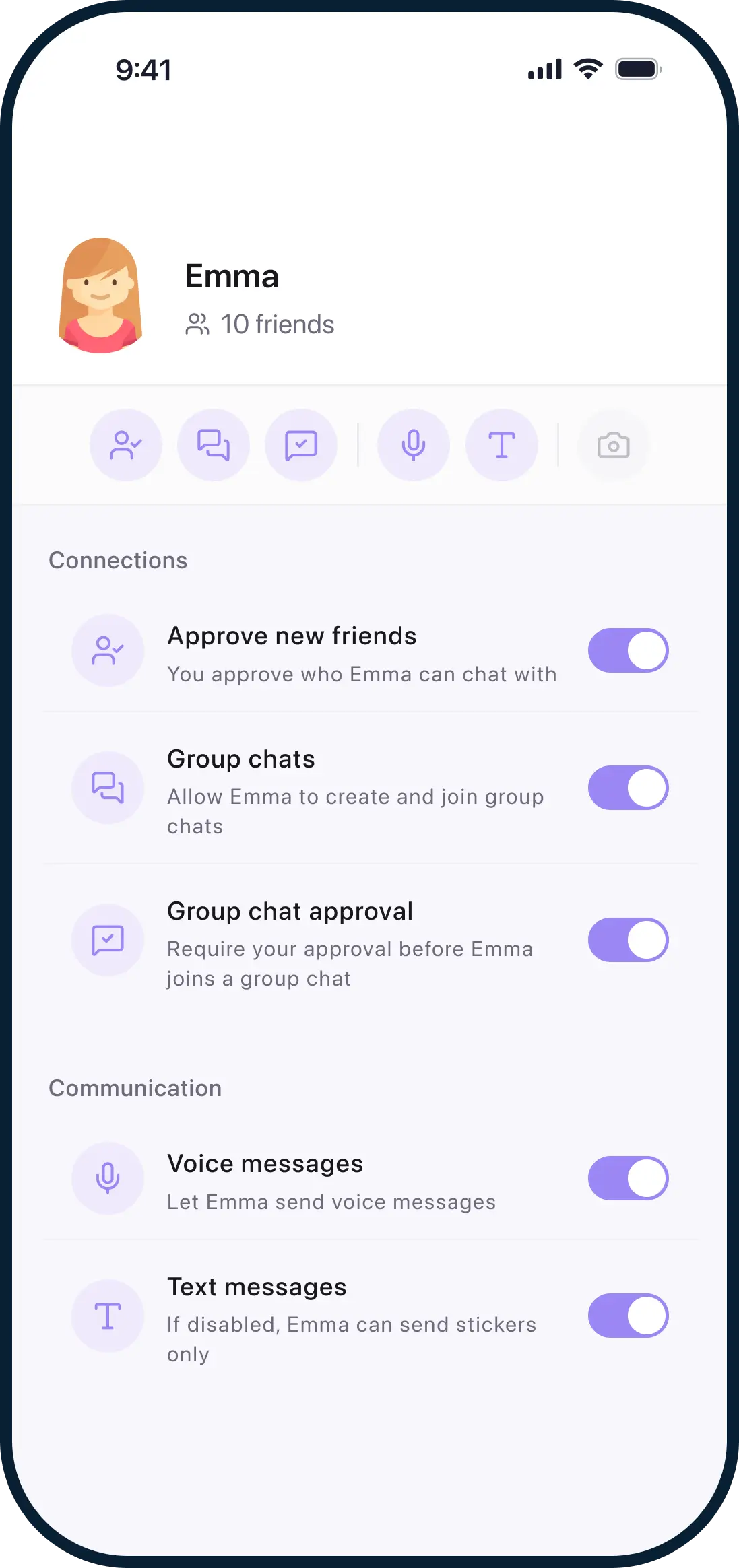
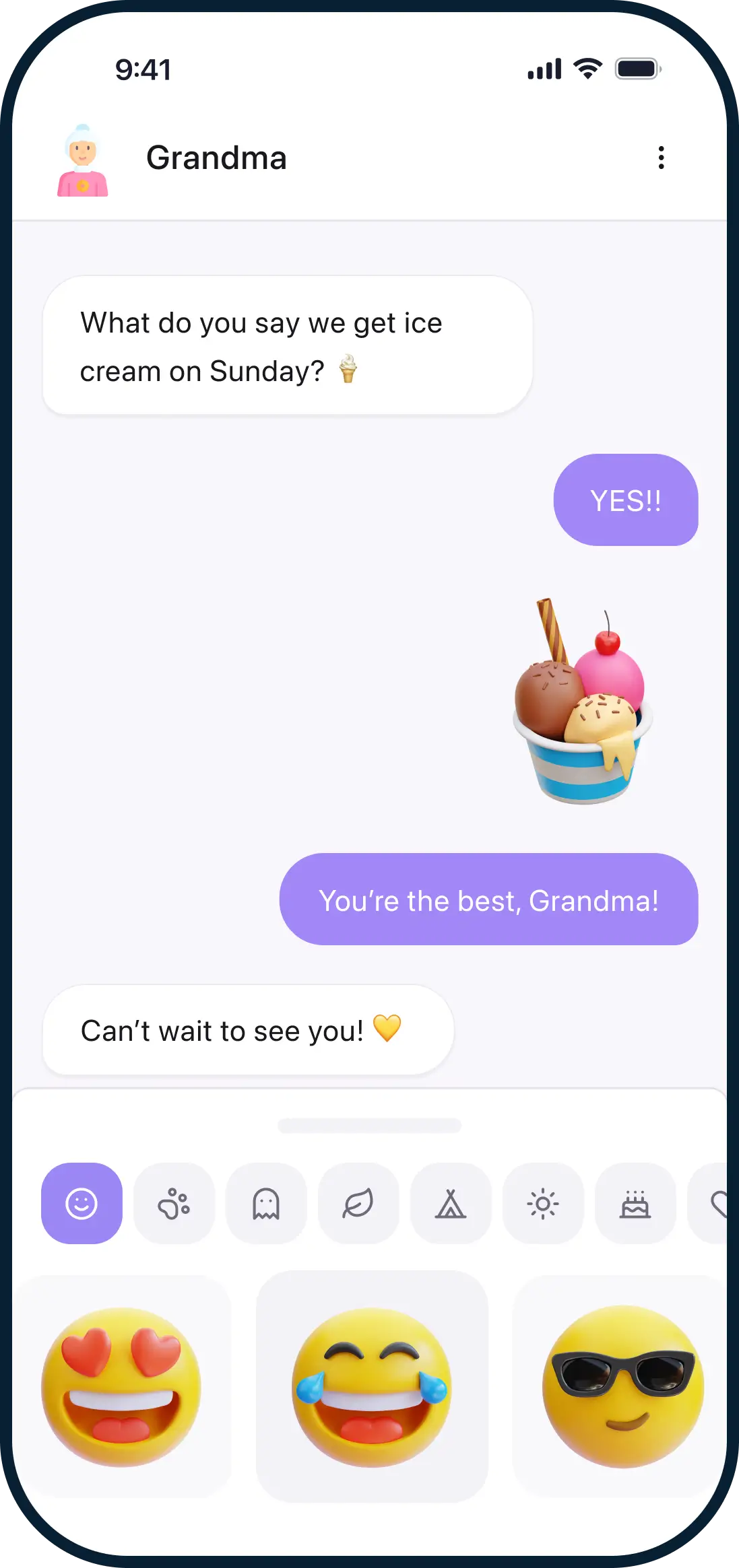
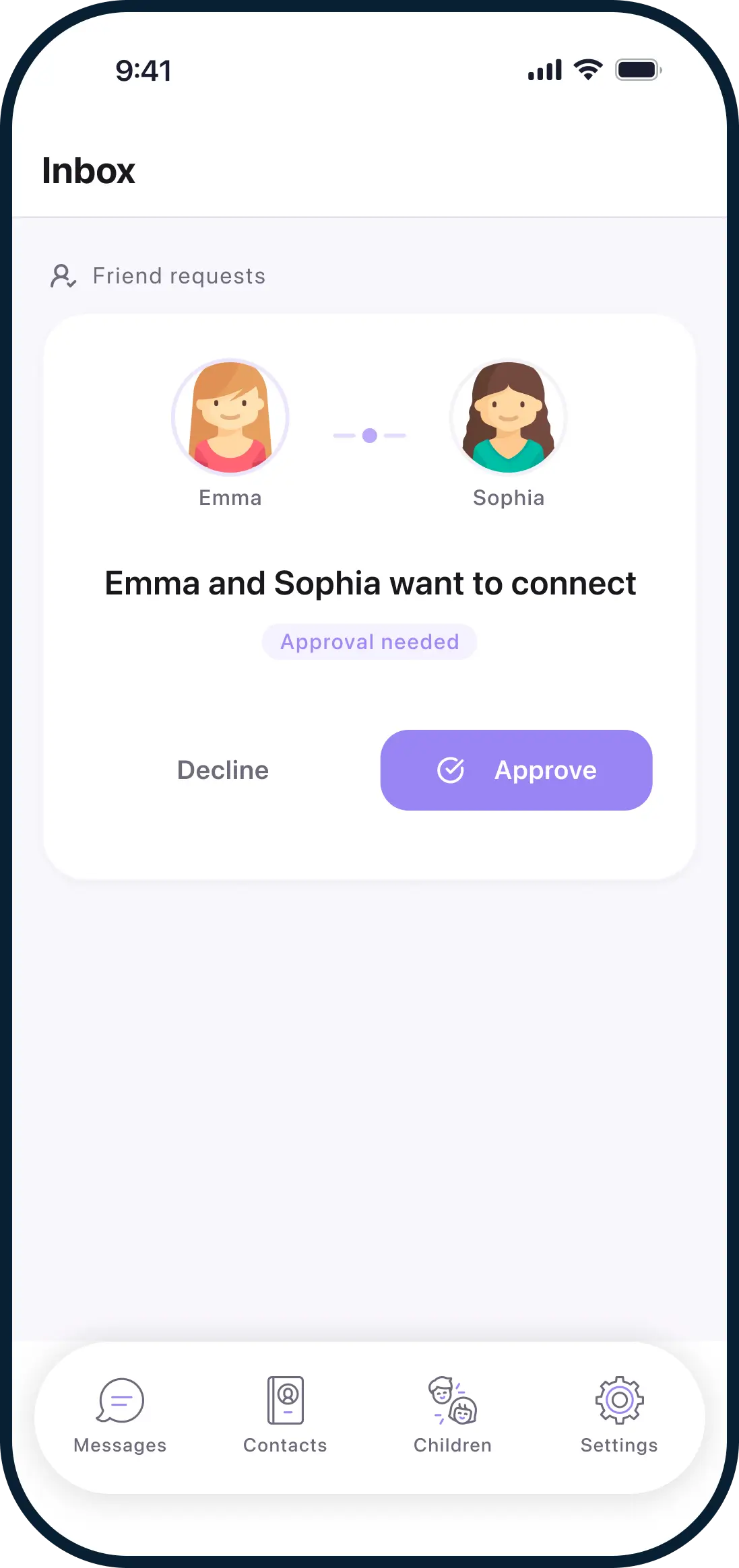
How Ping works
Ping is designed around one simple idea:
Parents stay in control. Kids stay connected.
Parents set everything up
Create your family account, add your child, and choose what's allowed — from contacts to messaging features.
Kids chat only with approved contacts
Children can only message people you've approved. No public profiles. No random messages.
Friends connect safely, in person
Kids add friends by scanning a QR code in person — with optional parental approval for every new connection.
Built for parents. Loved by kids.
For parents
- Approve and manage all contacts
- Control features like voice, video, and stickers
- Remove access or disable accounts anytime
- Made by parents, for parents
For kids
- Simple, friendly design
- Fun avatars and reactions
- No ads, no algorithms, no strangers
- Works on phones and tablets
What makes Ping safe for kids
Parent-Approved Contacts
Children can only message people you've approved.
End-to-End Encryption
Messages are encrypted so only the sender and recipient can read them.
Safe Friend Connections
Friends connect via QR codes — with optional parental approval.
No Data Collection
No ads. No tracking. No profiling. Ever.
🇩🇪 Made and hosted in Germany.
Privacy & safety by design
Ping is built differently from traditional messaging apps.
- No public usernames or discovery
- No ads or behavioral tracking
- No selling or sharing personal data
- Children don't need an email address or phone number
- Designed to meet GDPR, the UK Children’s Code, and COPPA
Simple to get started
Create a parent account
Add your child and choose their settings
Set up your child's device with a secure QR scan
Start messaging safely
Frequently asked questions
Is Ping safe for young children?
What age is Ping for?
Do children need a phone number to use Ping?
Can strangers contact my child on Ping?
Can parents read their child's messages?
Is Ping free?
Where is Ping made, and where is data stored?
Is Ping end-to-end encrypted?
Download Ping for your family
Ping is available on the App Store and on Google Play.